XGIMI MoGo 3 Pro
A 1.1 kg cylinder that runs real Google TV with licensed Netflix, sets itself up in seconds and sounds better than it has any right to — as long as you understand it has no battery inside.
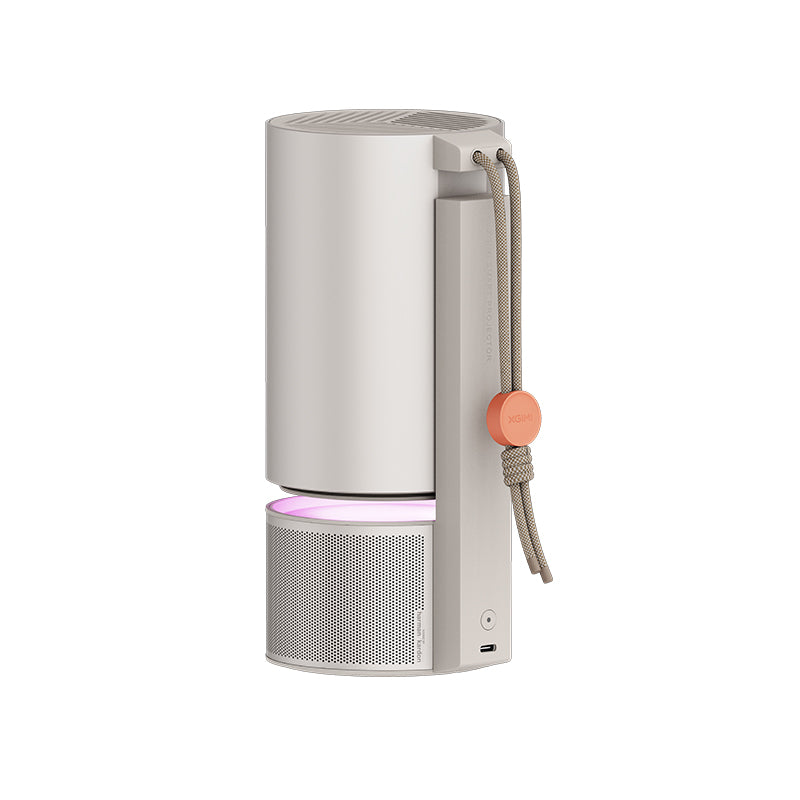
The best small projector software on the market, wrapped around a power supply you have to buy separately
Everything about how the MoGo 3 Pro behaves is excellent. Everything about how you power it away from a wall socket is an extra purchase.
Real Google TV with a licensed Netflix app, ISA 2.0 auto-focus and auto-keystone that actually work, and Harman Kardon speakers in a 1.1 kg body. It is the least annoying small projector you can buy. But it is marketed as an outdoor projector and there is no battery inside — you supply a 65W USB-C power bank, or add $60 for the PowerBase Stand.
Right for
- Anyone who wants Netflix, Disney+ and YouTube natively, without casting from a phone
- Renters and movers — set it down anywhere and it squares the image itself
- Dark rooms, bedroom ceilings, 60 to 100 inch images
- People who already own a 65W USB-C PD power bank
Wrong for
- True cable-free use out of the box — there is no internal battery
- Bright rooms and daytime viewing at large sizes
- Anyone who needs a full-size HDMI port for a console or Blu-ray player
- 4K buyers — this is native 1080p
+What it gets right
- Licensed Netflix on Google TV. Not a workaround, not sideloaded, not casting. Cheap projectors almost never manage this, and it is the single most common reason people return them.
- ISA 2.0 auto everything. Autofocus, uninterrupted auto keystone, intelligent screen alignment and obstacle avoidance — put it down at an angle and it fixes itself while you watch.
- Dual 5W Harman Kardon with Dolby Audio. Genuinely usable without external speakers, and there is an ambient-light music mode for when you just want sound.
- 130° integrated stand. The body is the tripod — tilt it at a ceiling with nothing extra.
- DCI-P3 90% and HDR10 for colour that holds up well above its price.
- Quiet and low-latency — under 32 dB at 1 m, and a game mode down to about 27 ms at 1080p60.
- 1.1 kg, roughly the size of a large coffee cup, with a 25,000-hour LED light source.
−Where it slips
- No internal battery. The listing calls it a portable outdoor projector; it still needs mains power or a 65W USB-C PD power bank you provide.
- Micro HDMI, not full size. You will need an adapter or a specific cable for a console, and HDR10 is not supported over that input.
- 450 ISO lumens is a dark-room number. Fine at 60–80 inches with the lights off, washed out in daylight.
- Native 1080p at a price where some rivals claim 4K input support.
- Wi-Fi 5, not Wi-Fi 6, on a 2026 product.
- The useful accessories cost extra — PowerBase Stand, carry case and optical filter are all separate.
- 12-month warranty is short for a projector.
Scored on how it behaves, not what it claims
Software and setup carry the most weight here, because on a projector this size they are what you interact with every single time. Brightness is scored against its class, not against a home cinema projector.
The long version
What the spec sheet means once it is sitting on your table.
Design & stand
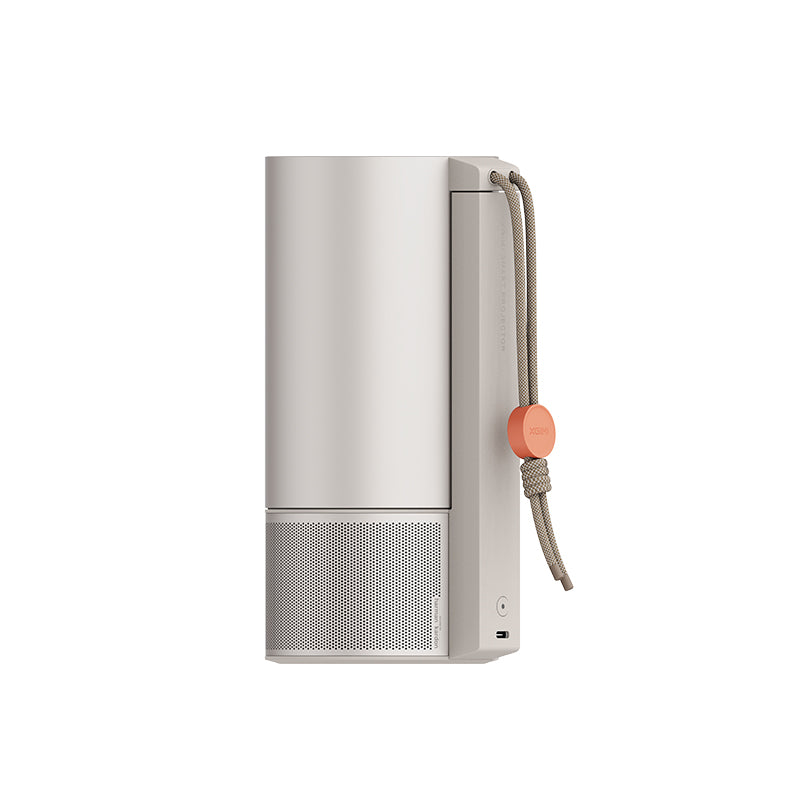
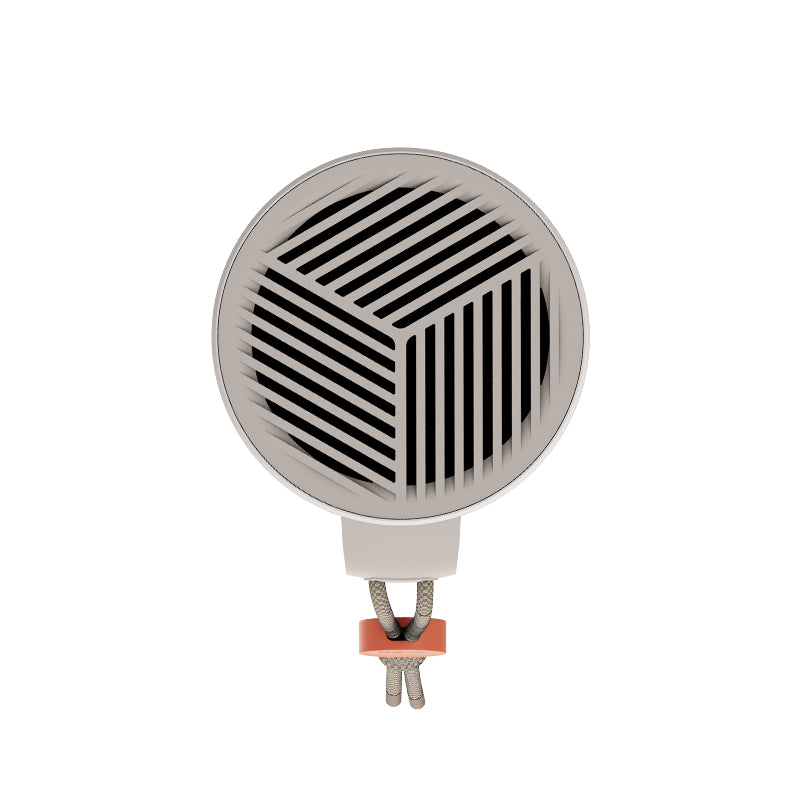
The MoGo 3 Pro is a 204.9 mm tall cylinder, 95 mm across, weighing 1.1 kg — near enough the footprint of a large takeaway coffee. The lower section rotates against the upper through 130 degrees, which means the projector is its own tripod. Tilt it up at the ceiling, tilt it down at a wall, set it on a shelf pointing across a room; you never need a stand to get a sensible angle, and that removes the single most tedious part of using a small projector.
There is a fabric lanyard with an orange XGIMI toggle on the side, which sounds like a styling detail and turns out to be the thing you actually grab. The finish is a warm off-white aluminium rather than the usual black plastic, so it does not look out of place in a living room.
The battery question
This is the part of the spec sheet that deserves reading twice. XGIMI markets the MoGo 3 Pro as a portable outdoor projector, and it is genuinely portable in the sense that it weighs 1.1 kg and fits in a bag. It does not have an internal battery. Power comes in over USB-C at 65W — from the mains adapter, or from a USB-C PD 3.0 power bank capable of delivering 65W.
Two consequences. First, a 65W PD power bank is not the cheap kind — if you do not already own one, add it to the price. Second, XGIMI sells a PowerBase Stand that supplies power and acts as a base, which is why the listing shows two prices: $379 for the projector alone and $439 with the stand. If you intend to use this away from sockets, the $439 configuration is the honest price of the product, not an upsell you can wave away.
Compared against genuinely battery-equipped rivals, factor that in before concluding the MoGo is the cheaper option. Compared against projectors that live on a shelf and never move, the missing battery costs you nothing at all.
Image & brightness
Native 1920 × 1080 from a 0.23-inch DMD, driven by an LED light source rated at 25,000 hours, throwing 40 to 200 inches at a 1.2:1 ratio. XGIMI recommends 60 to 120 inches and that recommendation is honest: 450 ISO lumens spread over 200 inches is not a watchable picture.
Where it does well is colour. DCI-P3 90% coverage plus HDR10 support gives you saturation and tonality that embarrass most sub-$500 projectors, and because the light source is LED rather than a lamp, there is no warm-up, no colour drift over the years and no bulb to replace. At 60 to 80 inches in a dark room the picture is genuinely good rather than merely acceptable.
In a room with daylight or lamps on, it is the opposite story. 450 ISO lumens is a dark-room specification and no amount of good colour science changes that. If you want to watch sport on a Saturday afternoon, this is the wrong product category, not just the wrong model.
- Throw ratio 1.2:1 — roughly 2.2 m of distance for a 100-inch image.
- Noise under 32 dB at 1 m, quiet enough that the speakers cover it easily.
- Eye protection can be turned on or off, which parents will care about more than reviewers do.
Google TV & Netflix
This is why the MoGo 3 Pro is worth its price. It runs full Google TV with a licensed Netflix application. That sentence looks unremarkable until you have owned a cheap projector: the entire budget category is littered with devices that cannot run Netflix at all, or run it at 480p through a sideloaded phone app, or require you to cast from another device and lose the remote. XGIMI paid for the certification, and it changes daily use completely.
Everything else follows from having a real platform: the Play Store, 10,000-plus apps, 800-plus free channels, Google Assistant, Chromecast built in, and a Bluetooth remote that controls the projector rather than a phone app pretending to. Software updates arrive the way they do on a television.
Sound
Two 5W drivers tuned by Harman Kardon, with Dolby Audio decoding. Ten watts total from a body this size will not give you bass, and nothing in this review will pretend otherwise. What it does give you is clean, intelligible dialogue at a sensible volume and a stereo image wide enough that you are not immediately reaching for a soundbar — which, for a projector you carry between rooms, is the point.
There is also an ambient light mode that turns the unit into a speaker with a soft glow, using Bluetooth 5.1 as an audio input. It is a gimmick that people actually use.
Ports & gaming
USB-C carrying PD 3.0 at 65W for power, a standard USB-A port, and Micro HDMI with ARC. The Micro HDMI is the one genuine design annoyance: plugging in a console, a laptop or a Blu-ray player means a Micro HDMI cable or an adapter, and XGIMI's own specification notes that HDR10 is not supported through that input. So the HDR you paid for applies to streaming, not to the box you plug in.
For gaming, the numbers are respectable for the class: game mode measures about 27 ms at 1080p60 with auto keystone off, rising to around 60 ms with it on. Turn auto keystone off once the image is squared and you have a projector that is fine for anything short of competitive shooters.
Everything on paper
Manufacturer figures as published by XGIMI.
Figures as published by XGIMI, checked 24 Aug 2026. Specifications and prices change without notice.
Against the obvious alternatives
The portable projector shelf splits on two questions: does it have a battery, and can it run Netflix properly.
| Model | Resolution | Brightness | Platform | Battery | Sound |
|---|---|---|---|---|---|
| XGIMI MoGo 3 Pro | 1080p | 450 ISO lm | Google TV · licensed Netflix | No | 2 × 5W Harman Kardon |
| Anker Nebula Capsule 3 Laser | 1080p | 300 ANSI lm | Google TV · licensed Netflix | Yes | 8W |
| Samsung The Freestyle (2nd gen) | 1080p | 230 ANSI lm | Tizen | No | 5W |
| XGIMI Halo+ | 1080p | 700 ISO lm | Android TV | Yes | 2 × 5W Harman Kardon |
The short reading: if cordless operation matters, a battery-equipped rival wins on convenience even where it loses on brightness. If your projector will mostly sit indoors near a socket, the MoGo 3 Pro gives you the better platform, the better colour and the better sound for the money — and XGIMI’s own Halo+ is the answer for anyone who wants both the battery and the brightness.
Questions buyers actually ask
Does the MoGo 3 Pro have a built-in battery?
Does Netflix work properly on it?
Is 450 ISO lumens bright enough?
Can I plug in a games console or a laptop?
Is it 4K?
How far from the wall does it need to be?
Is the PowerBase Stand worth the extra $60?
What is the warranty?
Official listings
XGIMI sells directly. The important decision at checkout is not the colour — it is whether you take the PowerBase Stand.
XGIMI — MoGo 3 Pro
The base configuration, listed at $379 against a $449 reference price. The right choice if the projector will live indoors near a power socket.
View listingMoGo 3 Pro + PowerBase Stand
Same projector with the powered stand, listed at $439. This is the configuration to compare against battery-equipped rivals — it is the one that actually works away from a socket.
Compare configurationsXGIMI
The manufacturer storefront — current promotions, the rest of the MoGo and Halo ranges, accessories and support. Worth checking for seasonal pricing before committing.
Visit xgimi.comPrices observed 24 Aug 2026 and subject to change. Verify in your basket before purchase.
Buy it for the software, budget for the power
The MoGo 3 Pro is the small projector that stops being a project. Licensed Netflix on real Google TV, auto-focus and auto-keystone that work without being asked, Harman Kardon sound that does not need help, and a body that is its own tripod. For indoor use at 60 to 100 inches in a dark room, very little at $379 competes.
Just price it honestly. There is no battery inside, so if the plan involves a garden or a campsite, the real cost is $439 with the PowerBase Stand or the price of a 65W USB-C power bank. Read the spec sheet with that one line highlighted and the rest of the product is easy to recommend.
Buy if you
- Want Netflix and Disney+ natively, with a proper remote
- Watch in the dark at 60 to 100 inches
- Move the projector between rooms rather than off-grid
- Value good colour and sound over raw brightness
Skip if you
- Need true cordless operation out of the box
- Watch with the lights on or in daylight
- Want a full-size HDMI port for a console
- Are holding out for native 4K
How this review was put together
This is a specification-based review. Every figure quoted for the MoGo 3 Pro comes from XGIMI’s own published product page, read on 24 August 2026, and both listed prices were taken from that page on the same day. Scores weight the platform, setup behaviour and sound most heavily, because those determine daily use on a projector of this size. Competitor figures are manufacturer-stated, and ISO and ANSI lumen ratings are not directly comparable. Nothing here is based on a measured test; where a number is a manufacturer claim, it is labelled as one.
Kitchen Canteen is independent and is not affiliated with XGIMI. No payment was received for this review.
Product photography courtesy of XGIMI, used for editorial identification of the product reviewed.